Find DSC Resources in PowerShell
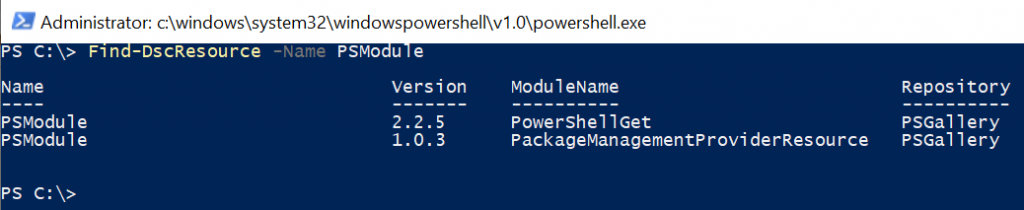
Find DSC Resources in PowerShell
The Find-DscResource cmdlet finds DSC (Desired State Configuration) resources contained in the modules in the registered repositories. It returns a PSGetDscResourceInfo object for each DSC resource it finds.
If no parameters are specified that limit the version, Find-DscResource returns the newest version of the DSC resource.
Find DSC Resource
Use the Find-DscResource cmdlet to find DSC resources that match specified criteria.
Find-DscResource
The output of the above PowerShell script displays the list of DSC resources available in the repositories.
Find DSC Resource by Name
Use the Find-DscResource cmdlet to find the DSC resource by its name. Use the Name parameter to specify the DSC resource name.
Find-DscResource -Name xFirewall
The output of the above PowerShell script is:
PS C:\> Find-DscResource -Name xFirewall

Name                                Version    ModuleName                          Repository
----                                -------    ----------                          ----------
xFirewall                           9.0.0      xNetworking                         PSGallery
Find DSC Resource by Module Name
Use the Find-DscResource cmdlet to find DSC resources from the specific module. It uses the ModuleName parameter to specify the module name.
Find-DscResource -ModuleName xSqlPs
The output of the above PowerShell script is:
PS C:\> Find-DscResource -ModuleName xSqlPs
Name                                Version    ModuleName                          Repository
----                                -------    ----------                          ----------
xSqlAlias                           1.4.0.0    xSqlPs                              PSGallery
xSqlHAEndPoint                      1.4.0.0    xSqlPs                              PSGallery
xSqlHAGroup                         1.4.0.0    xSqlPs                              PSGallery
xSqlHAService                       1.4.0.0    xSqlPs                              PSGallery
xSqlServerInstall                   1.4.0.0    xSqlPs                              PSGallery
xWaitForSqlHAGroup                  1.4.0.0    xSqlPs                              PSGallery
Find DSC Resource using Filter
Use the Find-DSCResource to find all resources using the Filter parameter. It filters the results by Domain.
Find-DscResource -Filter Domain | Select-Object -First 10
The output of the above PowerShell script is:
PS C:\> Find-DscResource -Filter Domain | Select-Object -First 10
Name                                Version    ModuleName                          Repository
----                                -------    ----------                          ----------
Computer                            8.5.0      ComputerManagementDsc               PSGallery
OfflineDomainJoin                   8.5.0      ComputerManagementDsc               PSGallery
PendingReboot                       8.5.0      ComputerManagementDsc               PSGallery
PowerPlan                           8.5.0      ComputerManagementDsc               PSGallery
PowerShellExecutionPolicy           8.5.0      ComputerManagementDsc               PSGallery
RemoteDesktopAdmin                  8.5.0      ComputerManagementDsc               PSGallery
ScheduledTask                       8.5.0      ComputerManagementDsc               PSGallery
SmbServerConfiguration              8.5.0      ComputerManagementDsc               PSGallery
SmbShare                            8.5.0      ComputerManagementDsc               PSGallery
SystemLocale                        8.5.0      ComputerManagementDsc               PSGallery
Conclusion
I hope the above article on how to find DSC resources in PowerShell is helpful to you.
If the DSC resource name exists in multiple modules, use the ModuleName parameter to specify the module for installation.