How to Change the Last Modified Date of File in PowerShell
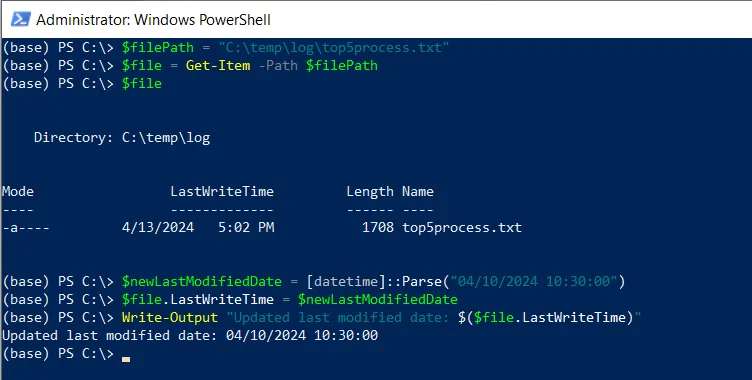
You can change the last modified date of a file in PowerShell by updating the LastWriteTime property of the file object.
The following method shows how you can do it with syntax.
Method 1: Update the last modified date of a file
$file = Get-Item -Path  "C:\temp\log\top5process.txt"
$newLastModifiedDate = [datetime]::Parse("04/10/2024 10:30:00")
$file.LastWriteTime = $newLastModifiedDate
This example will update the last modified date of a file.
The following example shows how you can change the last modified date of a file in PowerShell.
Change the Last Modified Date of a File in PowerShell
You can change the last modified date of a file in PowerShell by retrieving the file object details using the Get-Item cmdlet and updating the LastWriteTime property of the file object.
# define the path to the file
$filePath = "C:\temp\log\top5process.txt"

# Get the file object
$file = Get-Item -Path $filePath

# display the file object details
$file

# Set a last modified date
$newLastModifiedDate = [datetime]::Parse("04/10/2024 10:30:00")

# Update the LastWriteTime property of the file object
$file.LastWriteTime = $newLastModifiedDate

# Output the updated last modified date of file
Write-Output "Updated last modified date: $($file.LastWriteTime)"
Output:
Updated last modified date: 04/10/2024 10:30:00
In this example, the $filePath variable stores the path to the file. We then get the file object using the Get-Item cmdlet and store it in the $file variable.
Next, we define a new creation date using the [datetime]::Parse("04/10/2024 10:30:00") and store it in the $newLastModifiedDate Variable. This example sets the date to April 10, 2024, at 10:30 AM.
Finally, we update the LastWriteTime property of the file object and output the updated file’s last modified date using the Write-Output cmdlet.
After running the PowerShell script, it changes the last modified date of a file.
Conclusion
I hope the above article on changing the file’s last modified date in PowerShell is helpful.