How to Set Registry Value in PowerShell
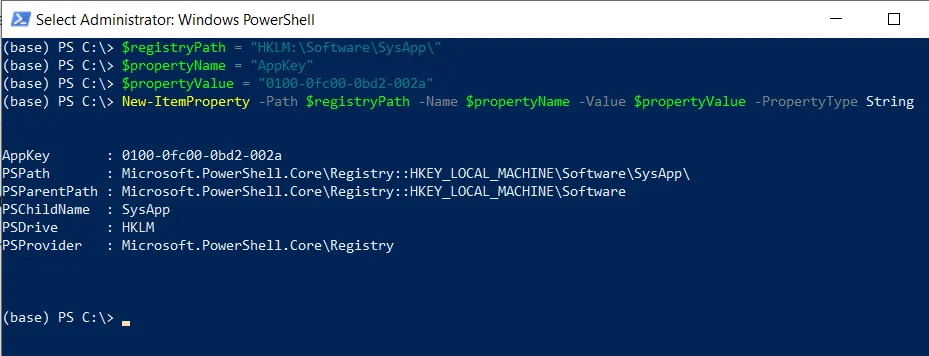
Use the Set-ItemProperty cmdlet in PowerShell to set a registry value. This command sets the value of an item for the specified path.
The following method can be used to set a registry value in PowerShell.
Method 1: Set a registry value in PowerShell
$registryPath = "HKLM:\SOFTWARE\SysApp"
Set-ItemProperty -Path $registryPath -Name "MaxSize" -Value 2048
This example sets a registry value for the MaxSize property to 2048 for the specified registry path.
The following example shows how to use this method.
Set a Registry Value in PowerShell
To set a registry value in PowerShell, you can use the Set-ItemProperty cmdlet. This command uses the -Path parameter to specify the registry path, the -Name parameter to specify the registry property, and the -Value parameter to set a new value for the property.
The following example shows how to do this with syntax.
# Specify the registry path
$registryPath = "HKLM:\SOFTWARE\SysApp"

# Set the registry value
Set-ItemProperty -Path $registryPath -Name "MaxSize" -Value 2048

# Get the registry value
Get-ItemProperty -Path $registryPath
In this example, the $registryPath variable holds the path to the registry key. The Set-ItemProperty cmdlet uses the -Path parameter to specify the registry path $registryPath. The -Name parameter specifies the property name MaxSize, and the -Value parameter sets a new value 2048 for the specified property.
You can verify the changes by using the Get-ItemProperty cmdlet to retrieve the registry key properties.
Conclusion
I hope the above article on setting a registry value in PowerShell using the Set-ItemProperty cmdlet is helpful to you.
Related Articles
Core Registry Operations
- PowerShell Check If Registry Key Exists - Check registry existence
- PowerShell Registry Hub - Complete registry management guide
- PowerShell Remove Environment Variable - Environment variable operations
Registry Query & Retrieval
- PowerShell Get-ItemProperty - Retrieve registry values
- PowerShell Get-Item - Get registry paths
- PowerShell Get-ChildItem - List registry subkeys
- PowerShell Get Registry Value - Query registry values
Data Processing & Filtering
- PowerShell Select-Object - Select registry properties
- PowerShell Where-Object - Filter registry keys
- PowerShell ForEach-Object - Process registry items
- PowerShell Measure-Object - Analyze registry data
Control Flow & Logic
- PowerShell If-Else Statement - Conditional registry operations
- PowerShell Switch Statement - Switch-based logic
- PowerShell Try-Catch - Error handling in registry operations
- PowerShell For Loops - Loop through registry items
Variables & Storage
- PowerShell Variables - Store registry paths and values
- PowerShell Arrays - Work with registry collections
- PowerShell Hashtables - Store registry configuration data
- PowerShell Add-Member - Add custom registry properties
File & Output Operations
- PowerShell Output to File - Export registry data
- PowerShell Export CSV - Export registry to CSV
- PowerShell Format Table - Display registry data
- PowerShell Get-Content - Read related config files
String & Data Manipulation
- PowerShell Strings - String manipulation for registry
- PowerShell Replace Strings - Modify registry values
- PowerShell DateTime Format - Format registry timestamps
System Configuration Management
- PowerShell Get-Process - Process registry operations
- PowerShell Get-Service - Service registry settings
- PowerShell Measure-Object - Calculate registry metrics
Bulk Operations & Automation
- PowerShell Functions - Create reusable registry functions
- PowerShell Import CSV - Bulk import registry changes
- PowerShell Batch Operations - Batch registry updates
System Administration
- PowerShell Scope - Registry scope management
- PowerShell Error Handling - Handle registry errors
- PowerShell Performance Tuning - Registry optimization
Windows Management
- PowerShell Remove Environment Variable - Environment variables
- PowerShell Set Environment Variable - Add environment variables
- PowerShell Get Environment Variable - Query environment variables
Comprehensive Guides
- Complete PowerShell Guide - Full PowerShell reference
- Complete PowerShell Tutorial - Comprehensive course
- Active Directory Guide - AD registry operations
You can find more topics about Active Directory tools and PowerShell basics on the ActiveDirectoryTools home page.